Transform Your Volume Controls Into Art
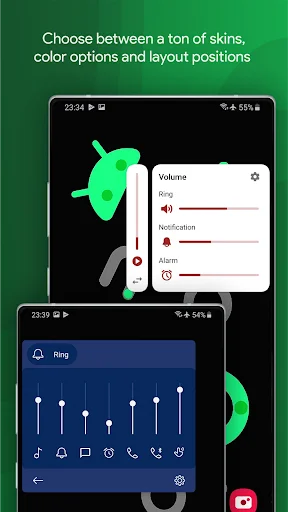
Replace boring volume sliders with stunning designs from iOS, MIUI, OneUI, and more. Customize colors, gradients, and positions to match your unique style in seconds.
Everything You Need to Personalize Your Phone
Premium Designs From Top Brands
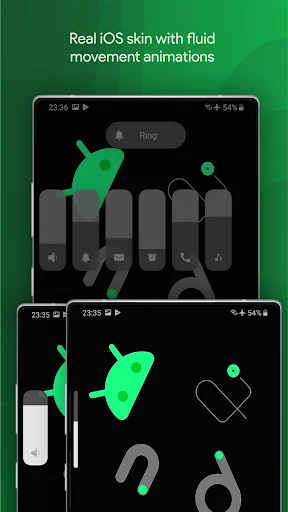
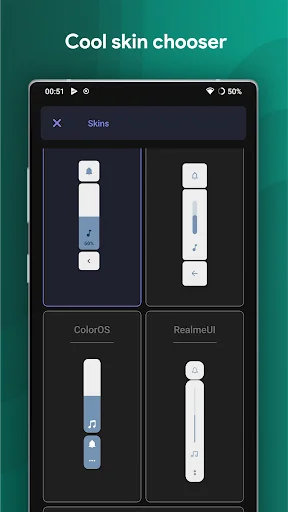
Access volume slider styles from iOS, MIUI, OxygenOS, OneUI, and many more. Give your Android the premium look of high-end phones without spending a fortune on new hardware.
Complete Color and Gradient Control
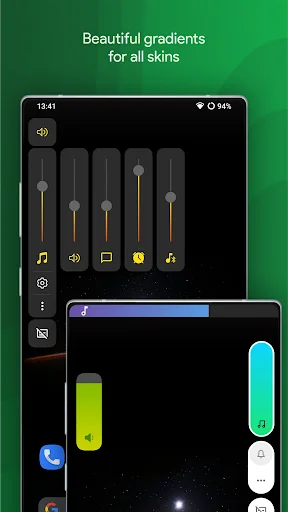
Design your perfect volume panel with full color customization and beautiful flowing gradients. Match your volume slider to any theme or wallpaper for a cohesive, polished look.
Quick Access With Gesture Control
Swipe from the screen edge to instantly open your volume panel without touching physical buttons. Adjust volume, switch between Bluetooth devices, and control brightness from anywhere with one simple gesture.
Control Every Sound in One Place
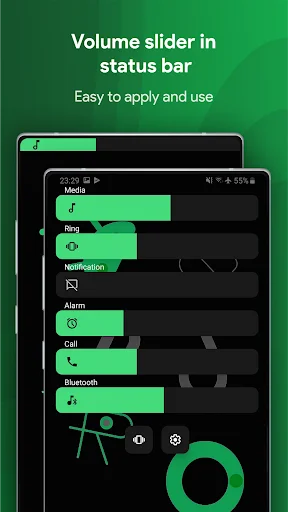
Manage all volume types including media, ring, alarm, notification, and call volumes from a single beautiful interface. No more hunting through settings or dealing with multiple screens.
About
Customize volume slider panel with aesthetic styles and themes.
Personalize your device's UI with a custom volume control panel. Quick setup and smooth controls. Design a custom volume slider or use some of the volume control panel cool skins available in the app!
The easiest way to change volume control styles and customize your device as you wish! Ultra Volume is the customization tool designed to replace your phone's volume slider with a new style controller. It provides many different sliders for volume streams including alarms and notifications.
Smooth animations and responsiveness
Each custom control volume panel is built independently and mimics the exact smooth animations and responsiveness you would expect to delight your experience.
Key Features
Unique volume slider styles:
- Custom ROMs
- Status bar & navigation bar integration
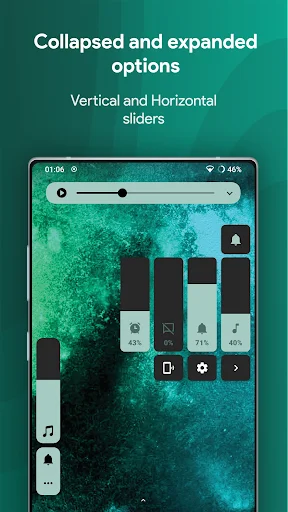
- Android 10 Vertical
- Android 8 Horizontal
- iOS 13
- MIUI
- OxygenOS
- OneUI
- Many more custom volume slider panels inside!
Full color customization!
Gradient slider:
Add a beautiful customizable gradient on any skin. Flowing animation available.
Layout arrangement:
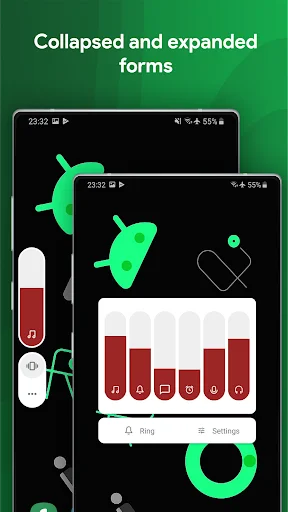
Set your desired size and exact position on screen. Only show the volume streams you want in the expanded form.
Behaviour control:
Adjust the time for the control to stay on screen. Play a vibration when volume limit is reached.
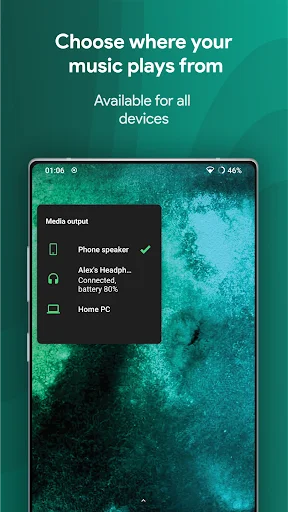
Media output chooser:
Select where to play music from the connected Bluetooth devices. Live captions button available.
Side swipe gesture:
Swipe from the edge of your screen to open up the volume panel, instead of using the physical buttons. The gesture works in a reliable way. Additional quick tile to open the panel.
All sliders:
- Media and Bluetooth volume
- Ring volume
- Notification volume
- Alarm volume
- Voice call volume
- Bluetooth call volume
- System sounds volume
- Cast volume for other devices
- Brightness
Enjoy a high-quality aesthetic volume control experience and make the UI your own. You can set everything up easily.
This app uses Accessibility services.
Create a custom volume control panel with the Ultra Volume app's unique themes and styles.
Highly customizable Volume Control Button
Replace your system volume control panel with a volume slider panel override service.
Chose from a variety of different skins and create a beautiful volume control panel on your phone in a few seconds!
Design your perfect volume control panel for a great user interface.
Disclaimer
All product names, logos, brands, trademarks and registered trademarks, which are not owned by us, are property of their respective owners.
All company, product and service names used in this app are for identification purposes only. Use of these names, trademarks and brands does not imply endorsement.
The Ultra Volume Control Styles application is owned by us and is not an official Apple or Xiaomi application. We are not affiliated, associated, authorized, endorsed by, or in any way officially connected with Apple and Xiaomi.
See Beautiful Volume Controls in Action
Join 10 Million Happy Users Worldwide
This app is the perfect addition to any Android phone for a user that wants to customize a the details, it not monolithic it just changes the volume sliders but it does it so well, when this app stopped working for me I emailed the developer because I enjoyed it so much. I didn't expect a response, but I got one almost instantly and in less then a day the developer had pushed a update to the play store that fixed my issue completely I was so impressed I bought this app on the spot! Great service
I tried it, loved it and decided to buy the pro version within 5 minutes of using. it is super cool that I can use the stock volume slider from other phones such as iOS, EMUI, One UI,etc. ( This is what inspired my decision to purchase) Next, I have a Xiaomi phone and I am glad to be able to keep my miui volume slider should I decided to not use miui ( unlikely to happen anytime soon..Miui 12 is just too good!) Antway, great job to the developer thanks for your work!
I do love the app. At first I had some problems because I had another volume app running at the same time. I shut the other app down, no problem..I like the options available very much. It's a great app, EXCEPT, I don't think I'm going to go for the $12.99 per week Subscription fee for the full version. In my Opinion that is a bit too steep.If it came with a security suite and a phone cleaner, maybe. I'll keep with the free version and see how it goes.
Absolute best volume app I've ever used. Non glitchy, no ads, or lag, or bugs whatsoever. I customize my phone like crazy and this added a solid level to my setup. Individual volume controls for system, headphones, different Bluetooth devices, apps etc, dope volume wave instead of like the standard bouncing bars or solid line. This thing is dyno, zero issues with it. And I literally never leave reviews but I had to for this one.
This si one of those apps where I refuse to not leave a review, the developers did an amazing job, Ads are well placed, GUIs are intuitive, animations are smooth, and you get such an amazing range of customization. There are some in app purchases, but they are very fair and it's not like it ruins the experience. 5/5, excellent job :) I never thought something was insignificant as the volume slider could be improved.
I had installed Volume Styles at first only to be disappointed by it because it required do not disturb permission which was unavailable on my device. But when I installed Ultra Volume, it only needed accessibility access. It works like a charm! Beautiful app. There's no lag whatsoever and it appears instantly on pressing the volume rocker. You don't have any idea how much you have helped me. Thanks a lot, man!