
Change Your Video Background in Seconds
Create professional-looking videos with stunning backgrounds instantly. No green screen needed – just pick your video, choose your background, and share amazing content with the world.
Everything You Need to Create Stunning Videos
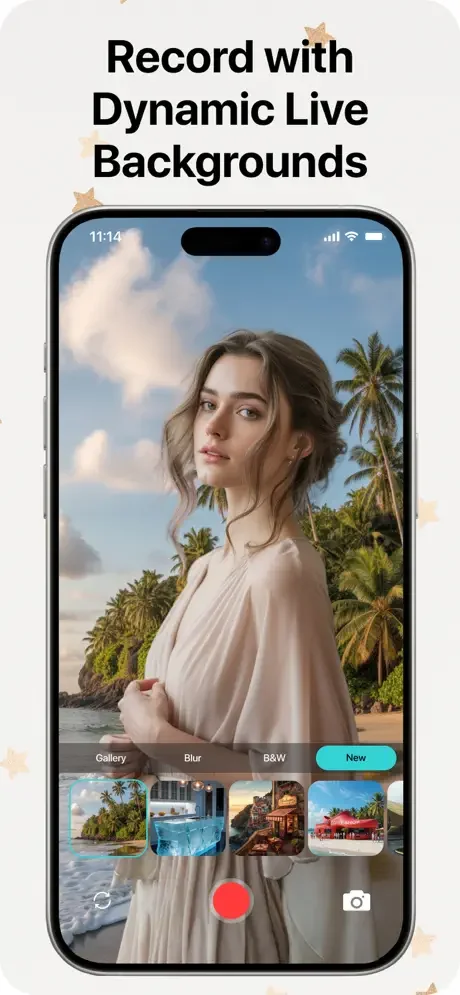
Live Background Changer
Record videos with custom backgrounds in real-time. No more boring rooms or messy spaces – choose any background while filming and create perfect content on the first take.
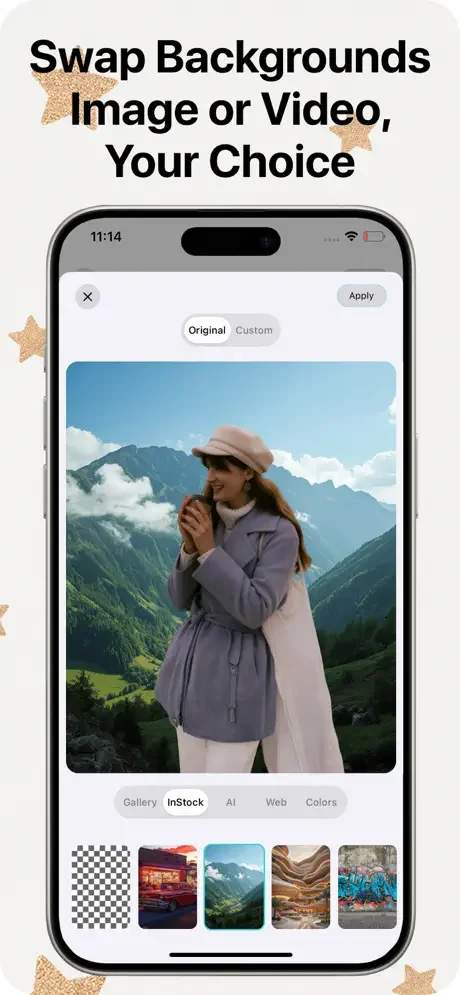
Instant AI Removal
Remove and replace your video background automatically with powerful AI technology. Turn any location into a professional studio without expensive equipment or complicated editing.
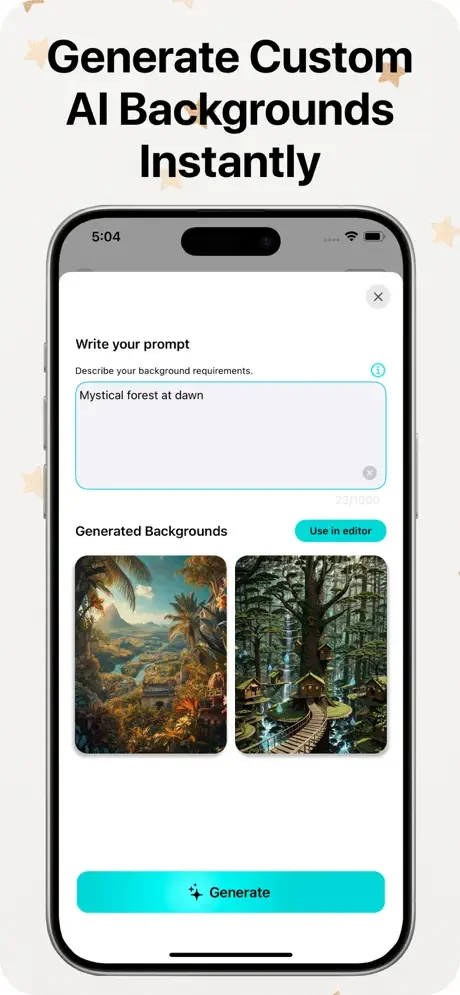
Endless Background Library
Access hundreds of images, videos, GIFs, and animated backgrounds to make every video unique. From tropical beaches to city skylines, find the perfect setting for any content you create.
Complete Video Editor
Add music, filters, effects, text, and stickers all in one app. Edit like a pro with easy-to-use tools and export in any format for Instagram, TikTok, YouTube, and all social platforms.
About
Video Background Remover & Changer
Video Background Remover & Changer provides an extraordinary environment for instantly changing or removing the video background.
You can add any image background or a picture from the camera or gallery. Video Auto Background Remover will also help you add or change background music and give you the option to add GIFs and an animated video background. All video background changers come with a huge number of backgrounds and animations to replace your video backgrounds. We will add more background and GIFs in the future to provide you with the latest options for your videos. You can also change the background in Live video recording with the Live Background Changer feature.
Video Background Remover & Changer for iPhone offers a unique environment to instantly remove or change the video background. You can add any image background or a picture from the camera or gallery. Video Auto Background Remover is the best video background changer app that will also help you to add or change background music, and can also give you an option to add gif's an animated video background. All video background changer comes with a huge amount of backgrounds and animations to replace them in your video backgrounds. We will add more background and Gifs in the future to provide you with the latest GIFs to add to your videos. You can also change the background in Live video recording with the Live Background Changer feature.
Note: All video Auto background removers will work fine with non-blurry and good quality videos. The results of the video background changer totally depend on the video capturing quality and will work properly with device camera videos. Video Background Changer is a revolutionary app that provides video editors to change video backgrounds in seconds. Add any background image to your video as its background. VBGC provides a lot of features along with just video background changers. Vlog background video editor brings a huge collection of attractive backgrounds and video backgrounds to add in along with the music.
Features of Pro Video Editor Background changer VBGC
- Live Video Background Changer
- Attractive and huge collection of backgrounds
- Video backgrounds to make your video more awesome
- Instantly share with friends and family
- Add background music of your choice
- Edit video with editing tools to be a pro video editor
- Add text and stickers to your video
- Add background while recording live video
- Apply cool video effects and filters
- Green screen effects and pro vid editor
- Blur video background
- Black & white video background
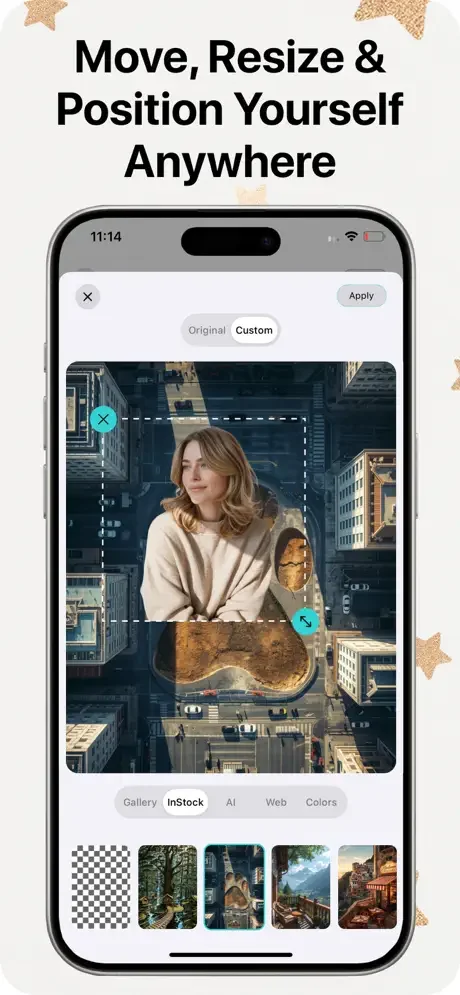
- Precise video size and position adjustment
- Export your video in any ratio for all social media platforms
How to use Video Background Remover Changer
There are a few simple steps to get videos with new, attractive, and different backgrounds. Select a video from the gallery that you want to change the background of. In the next step, you have to select an image or video background. Select music or audio to set as background music. After finalizing your video, you can edit it with video editing tools. In the end, you can share it with friends and family.
VBGC provides a lot of features along with video background changes. We can say it is a Vlog background video editor that brings a huge collection of attractive backgrounds and video backgrounds to add along with the music.
See the Magic in Action

Loved by Creators Everywhere
This app works seamlessly for changing background of videos. The background blur feature is especially good. I was looking for some free app for my video editing purpose and I found this one. Works perfectly
One of the best background chaging app I have used and I have used a lot of them. Simply love the ease of use this app provides. Thumbs up to the developers!