
Turn Any Video Into Perfect Status Content
Transform landscape videos into portrait format in minutes. Crop, compress, and share professional-looking status videos without the hassle of complex editing tools.
Everything You Need for Status-Ready Videos
Landscape to Portrait Conversion
Easily transform wide videos into vertical format perfect for Instagram Stories, WhatsApp Status, and other social platforms. No more awkward black bars or sideways videos – just full-screen content that looks professional.
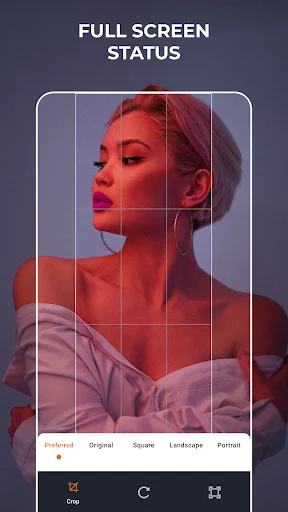
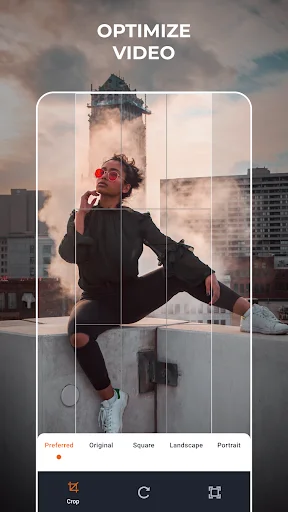
Smart Cropping with Preview
Control exactly what appears in your frame and preview your edits before saving. Make sure faces, text, and important details stay visible so your story gets told the way you want.
Compress for Faster Sharing
Reduce file sizes without losing quality, making uploads lightning-fast and freeing up storage space on your device. Share more videos without worrying about data limits or wait times.
Simple Three-Step Process
Select your video, adjust the crop, and export – done. No complicated menus or confusing features. Get status-ready videos in minutes without learning complex editing software.
About
What is Venlow | HD Video Status Maker?
An Android vertical video editor and encoder for preparing clips to share as a status. Crop a video into portrait orientation and use video compression to reduce its file size before sharing. Start with an existing recording and prepare a version suited to an upright screen.
Who is Venlow | HD Video Status Maker for?
Use it when you have a landscape recording that you want to turn into a portrait video for a social status. Adapt a travel clip, a moment with friends, or another saved recording when the original framing does not suit the post you want to make.
It also suits people who want a focused video encoder for preparing smaller files for social sharing. Cropping changes what appears in the frame, while encoding and compression prepare the video file for its next use.
What does Venlow | HD Video Status Maker do?
- Create a portrait video: crop existing footage into a vertical layout for status sharing.
- Adapt landscape footage: turn a wide recording into a full-screen video composition with the focus on the part you want to show.
- Compress clips: reduce video file size as part of preparing footage for sharing.
- Encode existing videos: process your selected recording for use as a video status.
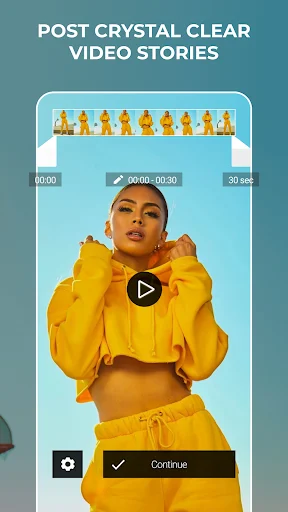
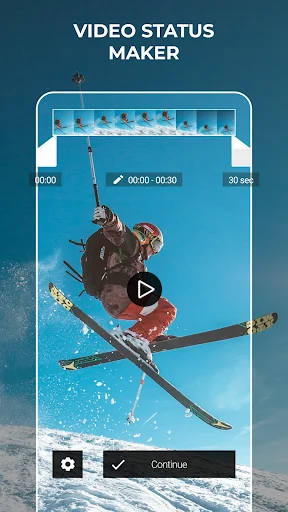
- Preview the edit: use the video preview and playback controls to check the clip while preparing it.
How does Venlow | HD Video Status Maker work?
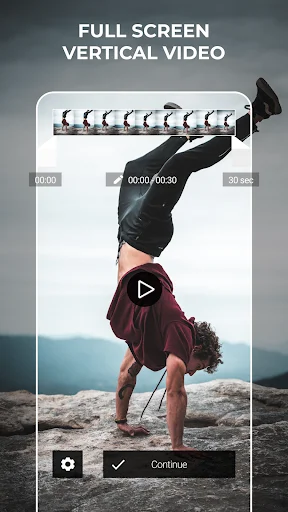
Select the video you want to prepare. Use the format controls to work on the vertical composition, then play the preview to review the result. Check that faces, text, and other important details remain visible after cropping.
Continue through the encoding workflow to prepare the clip for sharing. Review the processed result before posting it through your chosen social app. For wide footage, pay particular attention to the edges: a portrait crop can leave out parts of the original scene.
When using this vertical video editor, review both framing and file size. Video compression changes the file, while portrait cropping changes the visible composition.
Compatibility and requirements
Designed for Android and an existing video selected for processing. The app contains ads and offers in-app purchases.
Output quality and file size depend on the source footage and processing. Cropping changes the visible area of the picture. The receiving social service may apply its own processing, so the posted result can differ from the prepared video. Encoding does not guarantee that missing detail in the original recording will be restored.
Venlow | HD Video Status Maker brings portrait cropping and encoding together to help you prepare a full-screen video for your next status post.
About Permissions:
- READ_MEDIA_IMAGES and READ_MEDIA_VIDEO give an app access to all photos and videos stored on your device.
See How Simple It Really Is
Join Over 1 Million Happy Users
I've tried it and I liked your app. Does the exact thing as it say it'll do. Satisfied and I've yet to try your premium features(it does a good job without even upgrading to premium but premium rate is super affordable and I would recommend that to everyone). So I will update the review after that. I give it 5 stars because unlike some other apps it is genuine and I can't help but to give this a 5 star rating. And sorry for the previous review that I made without trying the app first
This is definetly the best app ive ever seen its like amazing ive tried so many apps for full screen whatsapp status none of them work but this worked !! For downloading also it takes less net But while converting we see that the clarity is bit low otherwise this app is the best 100% working...🎉
Finally ive found an app that solves the problem of editing 60fps whatsapp status in premiere pro...which indeed does take a while to do so!!!kudos to the developer Irshad..🔥
This app is something I've imagined of 2 years ago. I don't know when this app came into existence. I have no words to appreciate. Mind blowing!
it does help me a lot to fix the quality drop... i've been searching for a solution and now thanks to Venlow i manage to fix the quality...
Really an awesome app! Purchased premium as soon as I edited one video!!! Do give it a try, hope you'll like it.