
Transform Your Profile Into a Visual Masterpiece
Create stunning photo grids that stop scrollers in their tracks. Split your photos into eye-catching layouts and make your profile unforgettable.
Everything You Need to Stand Out
Choose Your Perfect Grid
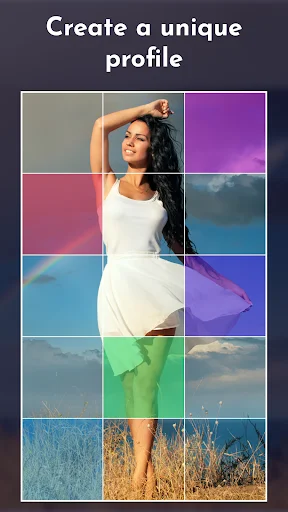
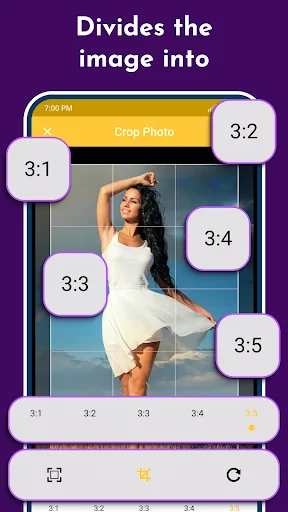
Select from 5 different grid layouts – 3, 6, 9, 12, or 15 squares. Whether you want a subtle enhancement or a dramatic panoramic effect, create the exact look that matches your style.
Keep Your Quality Crystal Clear
Your photos stay sharp and vibrant with high-resolution PNG output. No blurry images or quality loss – just professional-looking results that impress every visitor.
Post Without the Hassle
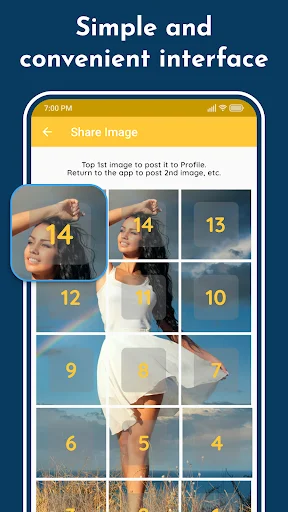
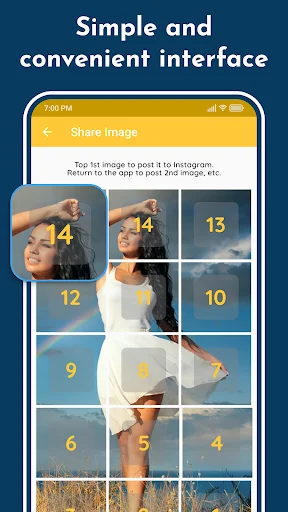
The app shows you exactly which piece to post first, second, and third. No more confusion or posting mistakes – just follow the simple guide and watch your grid come together perfectly.
Simple Enough for Anyone
No photo editing skills needed. Pick your photo, choose your grid size, and let the app do the work. You'll have a stunning profile in minutes, not hours.
About
Grid Maker - unique Profile enhancer
Grid Maker is the ultimate image splitter! Grid Maker allows you to crop large rectangular photos into several square pics. Then, make Photo Grids and upload them to your Profile to awe your friends and impress your profile page visitors 😎
Grid Maker Photo Split will crop, split, and share your photos ✔️
Split and share your large rectangular personal photos or panoramas by cropping them into several high-resolution square pics. Grid Maker is an image splitter with exceptional detailing, flexible rotation, and scaling options. Create Photo Grids with different grid styles: 3x1, 3x2, 3x3, 3x4, and 3x5. Beautiful image splitter introduces a new way of using your Profile, wrapped in a simple, attractive design. Take the chance to express yourself by embellishing your profile page and posting breathtaking large-scale images in full glory!
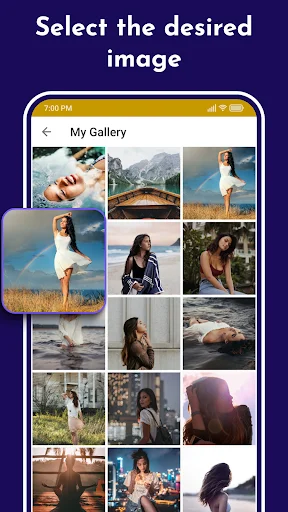
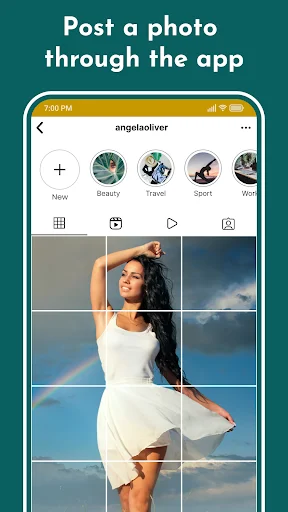
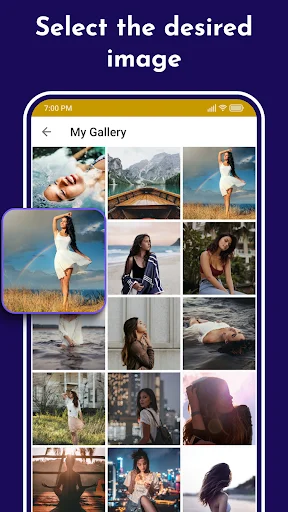
Choose a new picture from the photo gallery; choose a suitable sizing option among the five available options, and let Grid Maker photo split crop the image for you! Then, you have to submit the resulting pics to your Profile in the order the app suggests. You don't have to save the tiles to your device as sharing to 15 Square Grid Maker is embedded in the application!
Features of Grid Maker:
- Crop any photo into 3×1, 3×2, 3×3, 3×4, and 3×5 and create 3 Square, 6 Square, 9 Square, 12 Square, and 15 Square
- Create Giant Square for your Profile
- Flexible rotation and scaling options to cut your photos precisely
- High-resolution PNG images for best-quality pictures
- Post images directly to your Profile
- Automatically saves to SD card
- Easily save grids and share them later
- Free and easy-to-use UI
Now you can use Grid Maker image splitter to cut, split, and share your pictures onto your Profile. Unique photo split app. Grid maker app will help you Crop, split, and share images.
Note: The Grid Maker Giant Photo Split app is neither affiliated with any other app. Nor claims to own a trademark to use the name and logo of any third-party app.
Disclaimer
All product names, logos, brands, trademarks, and registered trademarks not owned by us are the property of their respective owners.
All company, product and service names used in this app are for identification purposes only. Use of these names, trademarks and brands does not imply endorsement.
We own the Grid Maker app. We are not affiliated, associated, authorized, endorsed by, or in any way officially connected with any 3rd party apps or companies.
See How Easy It Is
Join Over 1 Million Happy Users
Impressed by three things 1. Quality of photo is ratained 2. 15 squares are possible(many options) 3. Has feature to post photos 1 by 1 Pro tip :- In 3. There must be a option that posts all pieces in 1 tap
I like how easy is to create a great grid for Instagram without having to keep in mind the order of the images you need to post because the app is doing that for you
Very useful!Instead of having to take screenshots piece by piece i can just tap the grids.Definitely would recommend to try it out!
Best app I have found so far for turning photos into grids for posting. Even tells you which sections to post first.
Love this app! We prefer these types of posts. It allows us to communicate differently, with greater expression 💛
Convenient, gives many options for grid count, able to post to instagram through the app 🤌