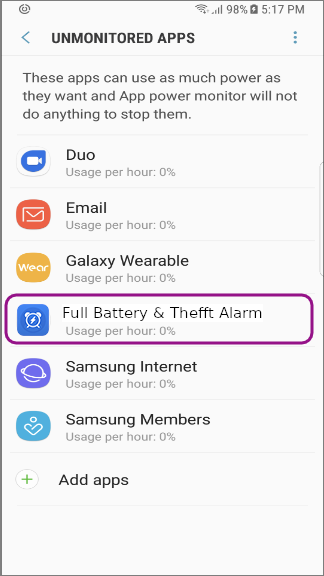
How to register Full Battery & Theft Alarm app to the Unmonitored Apps
If it seems to be restricted the background activity of apps by the system, this is also one of the causes related to the synchronization troubles. To solve this trouble, you have to be eliminated "Full Battery & Theft Alarm" in the monitored list by registering Full Battery & Theft Alarm to the Unmonitored app list. Please follow the steps below.
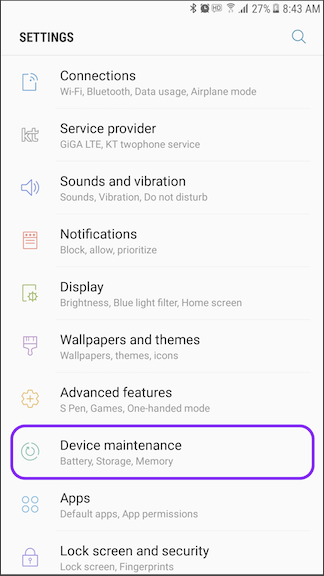
1. Open the Settings app on your device and then tap Device maintenance.
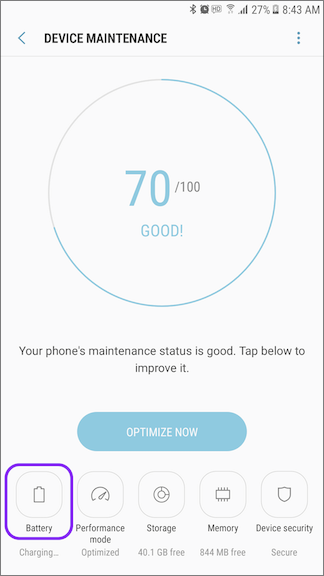
2. Tap Battery icon at the bottom-left of the screen.
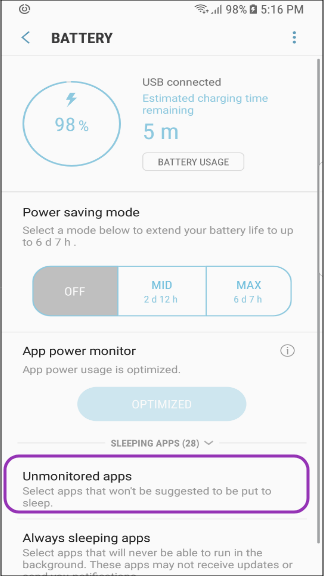
3. Tap the Unmonitored apps
4. Tap the Add apps menu
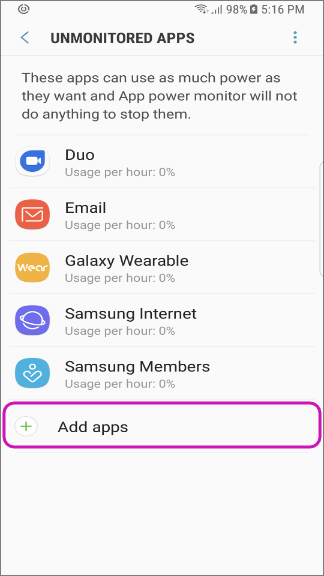
5. Add the Full Battery & Theft Alarm by tapping Done after marking the checkbox of Full Battery & Theft Alarm.
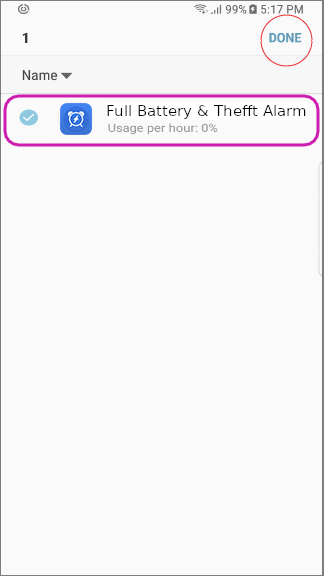
6. You can see Full Battery & Theft Alarm registered in the Unmonitored Apps list.