
Dark Mode for Every App You Use
Enable dark mode on any device and transform all your apps into eye-friendly interfaces. Reduce eye strain, save battery life, and enjoy comfortable screen time day or night.
Why Your Eyes Will Thank You
Works With All Apps
Unlike built-in settings that only work on some apps, this solution brings dark mode to every app on your device. Get a consistent, comfortable viewing experience across your entire phone, even on older devices without native dark mode support.
Protect Your Eyes Naturally
Reduce harmful blue light and screen glare that cause eye strain and headaches. The dark interface is easier on your eyes in low-light conditions, letting you use your phone comfortably at night without disrupting your sleep or straining your vision.
Extend Your Battery Life
Dark pixels use significantly less power on OLED and AMOLED screens, giving you hours of extra battery life. Spend more time using your phone and less time searching for a charger.
Switch Modes Instantly
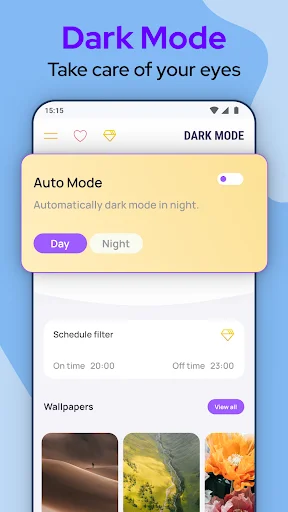
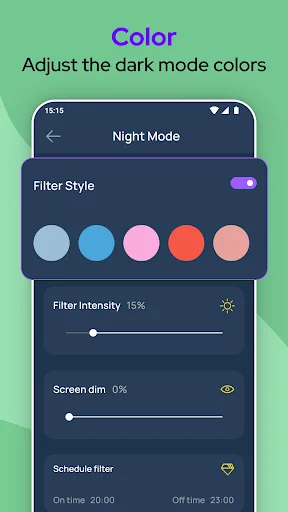
Activate or deactivate dark mode with a single tap. No complicated settings or confusing menus – just quick, effortless control over your display whenever you need it.
About
If your device is not offering the option to activate the Dark Mode, you just found the solution. Activate Dark Mode and protect your eyes!
Activate Dark Mode easily, Support for ALL Apps!
Dark Mode protects your eyes and conserves battery power, enabling device usage for more extended periods without charging.
Dark Mode is probably one of the most popular features in the modern user interface. We provide you the best Dark Mode - Night Screen app on the play store with a simple design.
Simple, yet powerful Dark Mode - Dark Screen Activatior
Features:
- Dark Mode saves energy, mainly if the device uses an OLED or AMOLED screen. Enjoy the night mode with the dark screen in your favorite apps.
- While the dark text on a white background is the best in terms of readability, Dark Mode (which has light text on a dark background) is better for reducing eye strain in low light conditions.
- With a dark screen, the screen glare is reduced, thereby minimizing flickering and blue light. Protect your eyes with night screen mode.
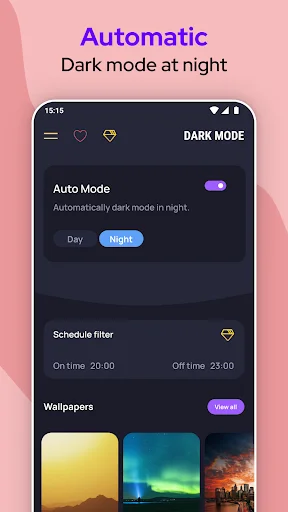
When you use the mobile at night, the light screen can harm your eyes. That's why it's essential to use Dark Mode - Night Screen on your device. Protect your eyes with night mode; prevention is the best cure.
Use Dark Mode - Night Screen and enjoy a beautiful user interface. The dark screen will reduce the negative effect of your device on your eyes.
Note: Dark Mode app is neither affiliated with any other app nor claims to own a trademark to use the name and logo of any third-party app.
Enjoy all benefits of the dark screen now!
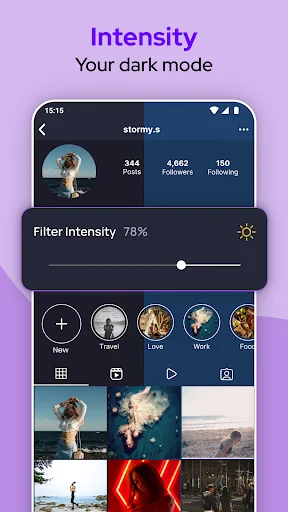
See the Difference Dark Mode Makes
Join Thousands of Happy Users
This is the best dark mode app.it provides you darkmode.it is very easy to use.dark mode conserves battery power, thereby enabling device usage for longer periods without charging and it also saves energy, mainly if the device uses an OLED or AMOLED screen.i recommend everyone to use this app
THANKS SO MUCH TO THE DEVELOPERS!!!!!!! I downloaded another app to make dark mode (not this) and i enable dark mode and uninstal it. After i can't get back light mode but this app get back. Thanks very much for creating this app.
This is a great app. Dark mode saves energy also screen. It is a very handy app.
Great app tho like the speed it takes to switch to dark mode
Fixes the dark mode facebook emoji issue in facebook,thanks.
Does what it promises. Easy to use.