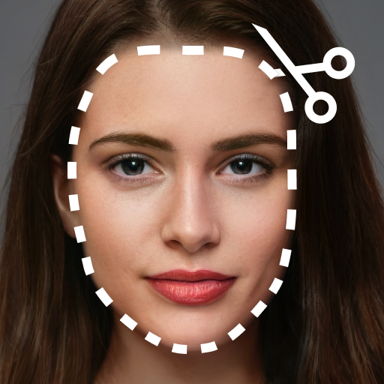
Create Perfect Photos in Just Seconds
Cut, paste, and transform your photos with professional results. No complicated tools or learning curve required – just tap, cut, and create stunning images right from your phone.
Everything You Need for Perfect Photos
Simple Cut and Paste
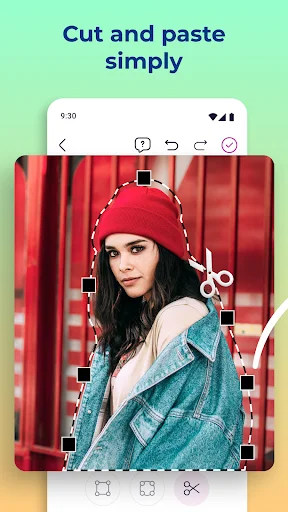
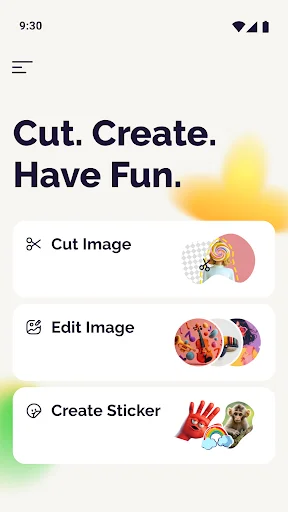
Edit photos as easily as using scissors. Just trace around any object, person, or face and paste it wherever you want. No technical skills needed – if you can use your finger, you can create amazing photos.
Remove Backgrounds Instantly
Erase backgrounds in seconds and make your subjects stand out. Our smart background remover works fast and keeps your images looking professional, so you can focus on being creative instead of spending hours editing.
Fix Your Group Photos
Never worry about missing people in your photos again. Cut someone from another photo and add them seamlessly to your group shots. Perfect for creating complete family memories and fixing those 'almost perfect' moments.
Layer Multiple Photos Together
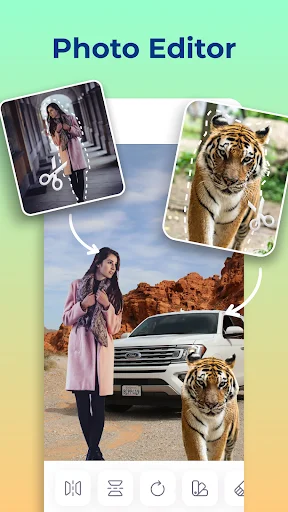
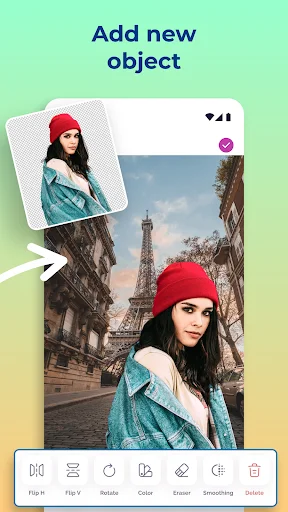
Combine pictures from different photos into one masterpiece. Create unique collages, swap faces for fun, or merge the best parts of multiple shots. Your creativity is the only limit.
About
Cut and Paste Photos: Photo Cut and Paste any objects from one photo to another easily! It will replace professional photo editing tools and save you time.
Customize Photos Easily
You found the easiest way to cut and paste people, animals, trees, cars, and backgrounds into other photos and create beautiful and interesting photo collages. The Photo Cut and Paste editor app is the ultimate Photo Editor to change faces on photos with ease! You can remove photo background instantly and create fun, creative results.
Cut and Paste Photos in 2 simple steps
Create custom photos easily by cutting from one and pasting into another photo. Do you want to swap faces? You can easily do it—cut a face from a photo and paste it wherever you want. You can even add picture to picture for unique and creative effects.
Simple, yet powerful Photo Editor
Remove photo background in a few seconds and create your masterpiece. You just found the easiest way to paste a photo into another photo. The unique Photo Cut and Paste app allows you to cut from multiple photos into one and merge them together.
Cut and Paste Photos like a PRO 💯
Do you miss someone in your group or family photos? Cut out the picture and paste it instantly! You can add picture to picture without the need for professional help and expensive editing tools. The ultimate Photo Cut and Paste tool makes it easy to erase the background, merge images, and enhance them with our built-in Photo Editor.
🌟🌟🌟🌟🌟 Fantastic features:
- Cut photos and paste them precisely
- Remove photo background - fast and easy
- Advanced Photo Editor tools to perfect your images
- Add picture to picture for endless creative combinations
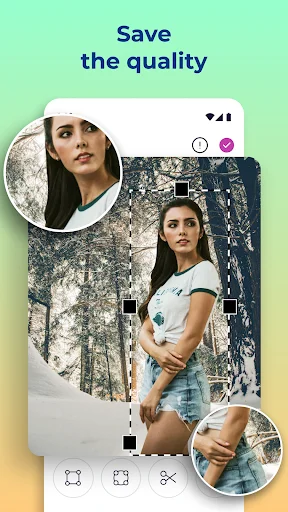
The Cut and Paste Photos app will keep the original photo resolution and preserve image quality. Use our background eraser to remove photo background quickly and create amazing content! Discover our amazing features—such as cut-out pictures, add picture to picture collages, and advanced Photo Editor tools—to amaze your friends! ✅
See How Easy It Really Is
Join Millions of Happy Photo Creators
I was looking for a really easy to use cut and paste app and found this app on Google Play store. This app was super simple to use. Just like the app advertises "Cut & Paste" that's it! It does have other features you can use to draw on your image or add additional photos cut and layer them as well. You are not bombed with ads interfering with your project. You not asked a million times for a subscription. I'm glad I found this app. I highly recommend it for simple "Cut & Paste" projects.
First off, the neon tool is worthy of a full photo manipulation program. It is perfectly eye-catching. This app adds a quick and easily usable cut-and-paste functionality to your device. I use it with the stylus with the UItra Series from Samsung. ( and the Note series before that) While you may get more functionality with your PC... there are many times when you don't have your laptop, much less a full desktop. This will allow you to have instant results. This is one of my go-to apps.
My go-to for cut & paste projects! As others have said, very easy to use without a bunch of frustrating clutter getting in your way. Just common sense, user-friendly, & still has everything you need.. plus, I too use it on my Samsung with my SPen & it works like second nature & the guy is right, the neon is enough reason to download this app on its own! Was the perfect tool to design my business logo! Couldn't be more in love with it! Highly recommend if ya just wanna cut & paste too!
Amazing app! I bought the full version as the ad's are obtrusive and do get in the way when you are trying to save the hard work you have just put in. However, £1.89 leaves you with the app the dev/s intended. Loading an image and cutting it is easy, adding to a background and resizing is effortless. I only have 4 or 5 apps that go from phone to phone with me, and this is a definite. Thanks for such a good app wing. Ps difficult to use, but all good apps have a learning curve.
Easy to use! I'm not very tech savvy and I'm completely new to a tool like this but no explanation is needed - it's that simple. Just use your finger to cut around the image. The only thing I don't like is the large magnifier when cutting around the image, it would be nice to see that become optional. There is a lot of ads! I'm okay with that- but if you really don't like ads, it might not be for you.
I like to take pieces of group photos and merge them together. I was looking for a basic and simple cut and paste app for images, and this did not disappoint. I started using the app and immediately expected it to be trash because, frankly, it looked cheaply made. It took me about 5 minutes to master the app and it works perfectly. Very pleased.